Keep their face in view.
We need to see their eyes, nose, ears and distinctive markings.
YOUR PERSONALIZATION GUIDE
Choose and order your memorial first. Share your photos and personal details afterwards, at your own pace.
01 / START WITH THEIR PHOTO
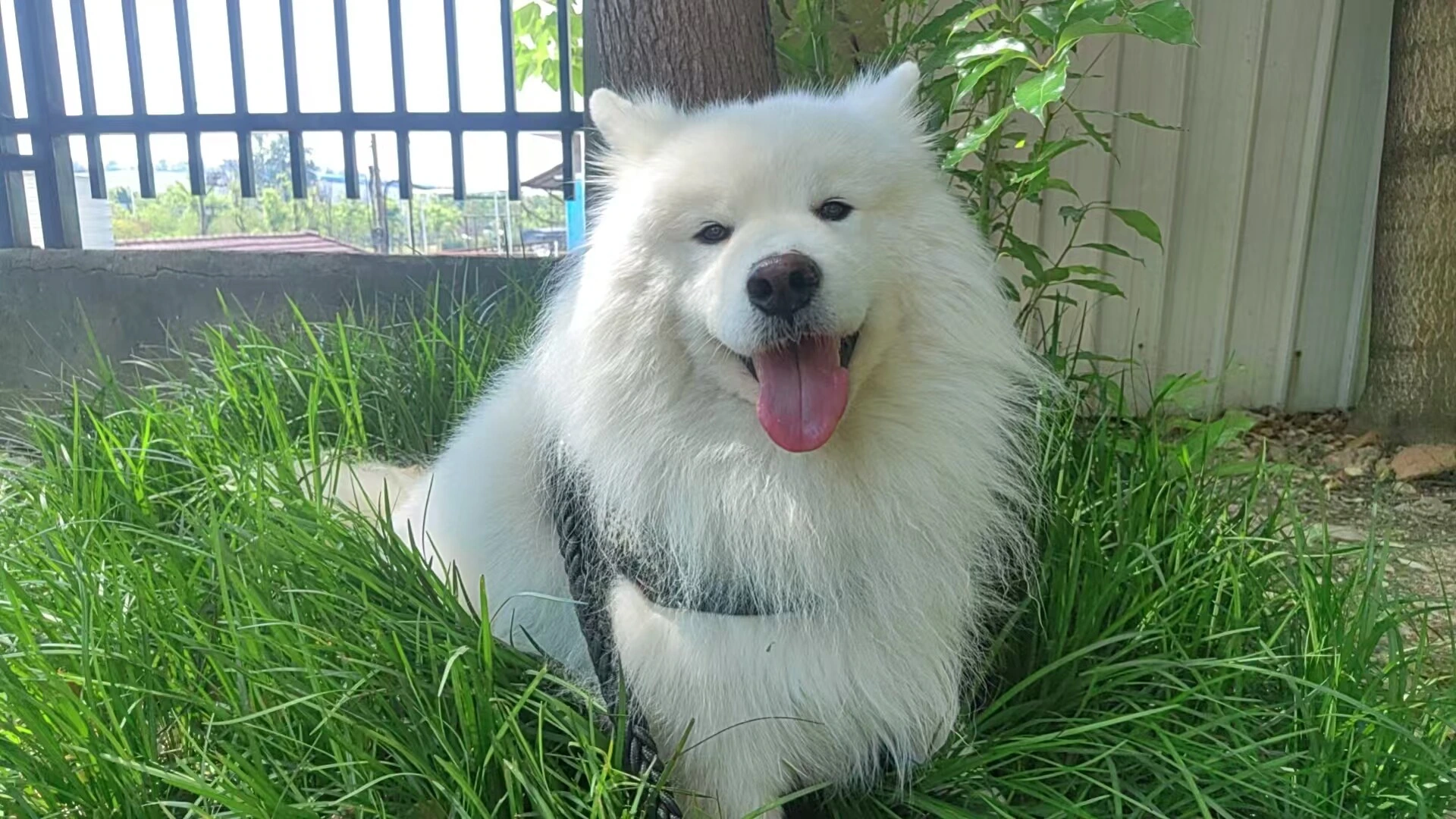
We need to see their eyes, nose, ears and distinctive markings.
Natural light and the original file help. Avoid strong filters or screenshots when possible.
Extra angles can help. For custom dog ear colors, include a photo showing both ears.
On a Mac, open the photo in Preview, choose File → Export, and select JPEG. For new iPhone photos, Settings → Camera → Formats → Most Compatible saves JPEG files. Keep the original photo and avoid sending a screenshot when you can.
Already have a JPEG, PNG or WebP? Check the file here before you order.
Checks format, file size and image dimensions. Our team still reviews whether the face is clear.
02 / ADD THE LITTLE THINGS
Personal artwork is included. You do not need to choose a fixed template.
Tell us the spelling you want to keep, or choose to leave the name off.
Optional. Choose years, full dates or no dates. Add a message of up to 80 characters.
With flowers, without flowers, or our suggestion. Share colors, markings or a familiar place in the notes.
Save your draft and return through your order link. Your photos are used for your order; public sharing requires separate permission.
YOU GET THE FINAL SAY
Your design is reviewed before production.
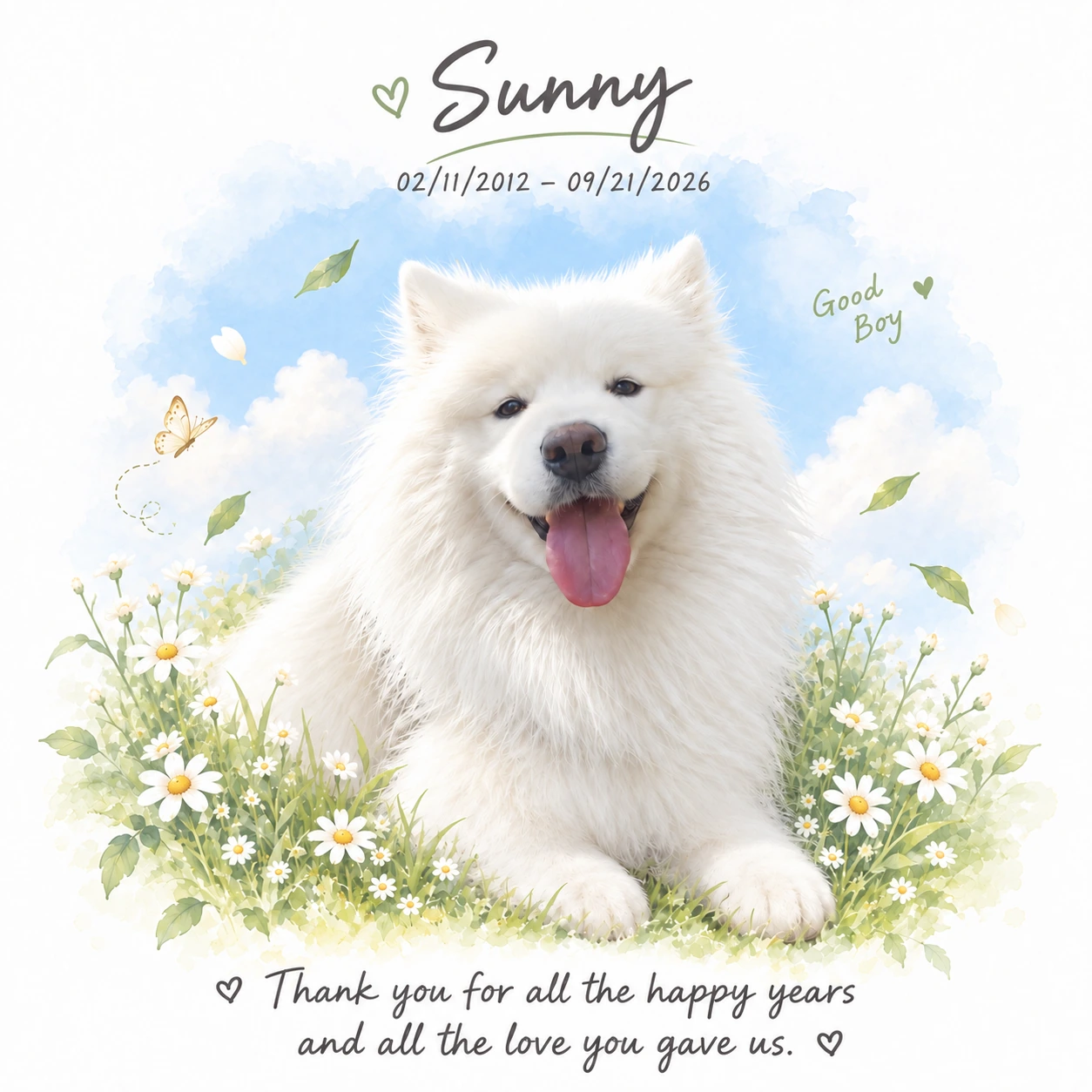
Request an adjustment in your order workspace, or approve the design when you are ready. We only start production after your explicit approval.
AFTER CHECKOUT · A QUICK LOOK
Your private email link opens an order workspace. Here is an example of the steps you will see.
THE LITTLE THINGS THAT MATTER
Add a name, optional dates and a message. Tell us about favorite colors, flowers or a place you remember.
You can save a draft and return later from the same email link.
ONE CLEAR FACE IS A GOOD START
Choose one main portrait. Add extra angles if they help show the ears, colors or markings.
Your real order workspace accepts up to 8 JPEG, PNG or WebP photos, up to 10 MB and 24 megapixels each.
READY FOR YOUR DESIGN
Review your spelling, dates, message and photo selection before submitting. Your first design is prepared within 24 hours of complete details.
Small · Original white lid
This is an example. These controls do not submit an order.
YOU HAVE THE FINAL SAY
Check the portrait, markings, spelling and dates. Request a change in your workspace, or explicitly approve the design.
Production starts only after your approval. These example labels do not approve a real design.
Already ordered? Open your order workspace ↗ Use the same email address you used at checkout.
FROM YOUR PHOTO TO YOUR HOME
After we receive complete photos and details.
After you explicitly approve your design.
Estimated US & European transit.
Day estimates are calendar days. Allow around 30 days after approval, plus your review time. Transit and customs can vary.